Conducting Interviews
How to start an interview session, select a language, and guide stakeholders through the AI-powered discovery process.
Running an AI interview is straightforward. Here's how to get the best results.
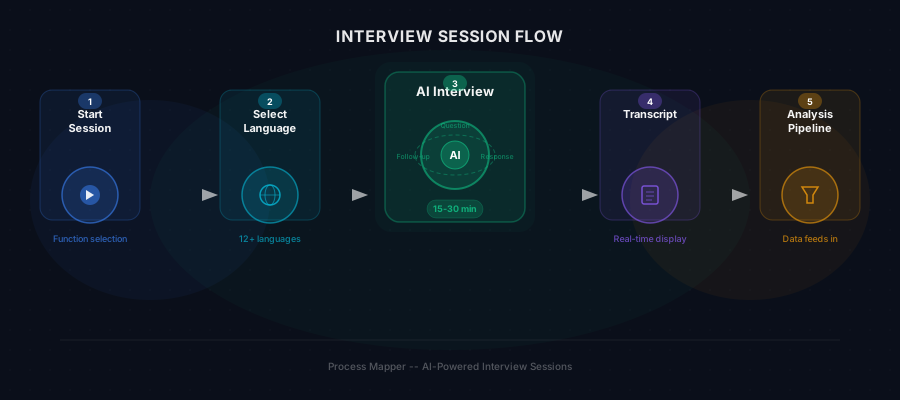
Starting a Session
- Navigate to a business function within your project
- Click New Interview Session
- Select the interview language (the AI will conduct the entire conversation in this language)
- Optionally upload context documents specific to this session
- Share the interview link with the stakeholder, or conduct it together
During the Interview
The AI interviewer will:
- Introduce itself and explain the purpose of the conversation
- Ask about the stakeholder's role and daily responsibilities
- Dive into specific workflows, asking about steps, tools, and handoffs
- Follow up on interesting or complex areas automatically
- Ask about pain points, exceptions, and improvement ideas
Interviews typically last 15–30 minutes. The stakeholder can speak naturally — the AI handles the structure.
Real-Time Transcript
As the interview progresses, you'll see:
- A live transcript updating in real time
- The AI's follow-up questions as they're generated
- Key process entities being identified and highlighted
After the Interview
Once complete, the session data feeds into the analysis pipeline:
- Transcripts are processed to extract structured process information
- Process schemas are generated from the conversation content
- The data contributes to the function's overall process map
You can conduct multiple interviews per function to get perspectives from different stakeholders and build a more complete picture.