Getting Credits
How credits are provisioned and managed as part of your Enterprise plan.
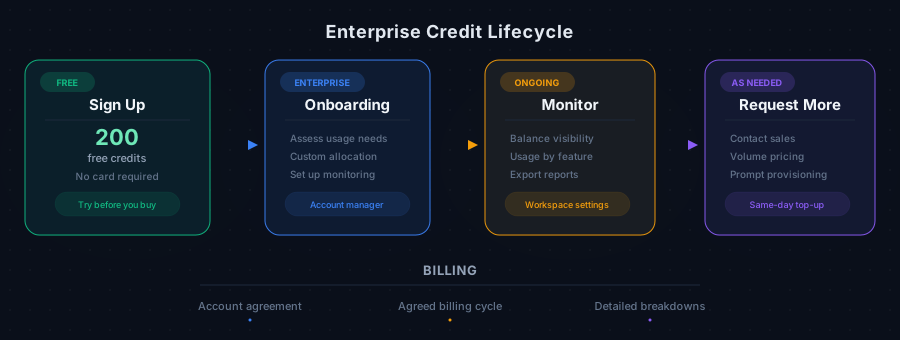
Every new team workspace receives 200 free credits to get started — no credit card required. Beyond that, credits are provisioned as part of your Enterprise plan.
Enterprise Credit Allocation
Your Enterprise plan includes a credit allocation tailored to your organization's needs. During onboarding, your account manager will:
- Assess your expected usage based on the number of departments and interview volume
- Provision an appropriate credit balance
- Set up monitoring so you're never caught short
Requesting More Credits
If you need additional credits beyond your current allocation:
- Contact your dedicated account manager
- Reach out to our sales team via the Contact Sales page
- Volume pricing is available for organizations with higher usage needs
Credits are added to your balance promptly once approved.
Monitoring Your Balance
From your workspace settings, you can:
- View your current credit balance at any time
- See a detailed history of credit consumption by feature
- Track usage trends to forecast future needs
- Export usage reports for internal budgeting
Payment and Invoices
- Enterprise billing is handled through your account agreement
- Invoices are generated on your agreed billing cycle
- Payment terms are established during your Enterprise onboarding
- Your account manager can provide detailed usage breakdowns on request